
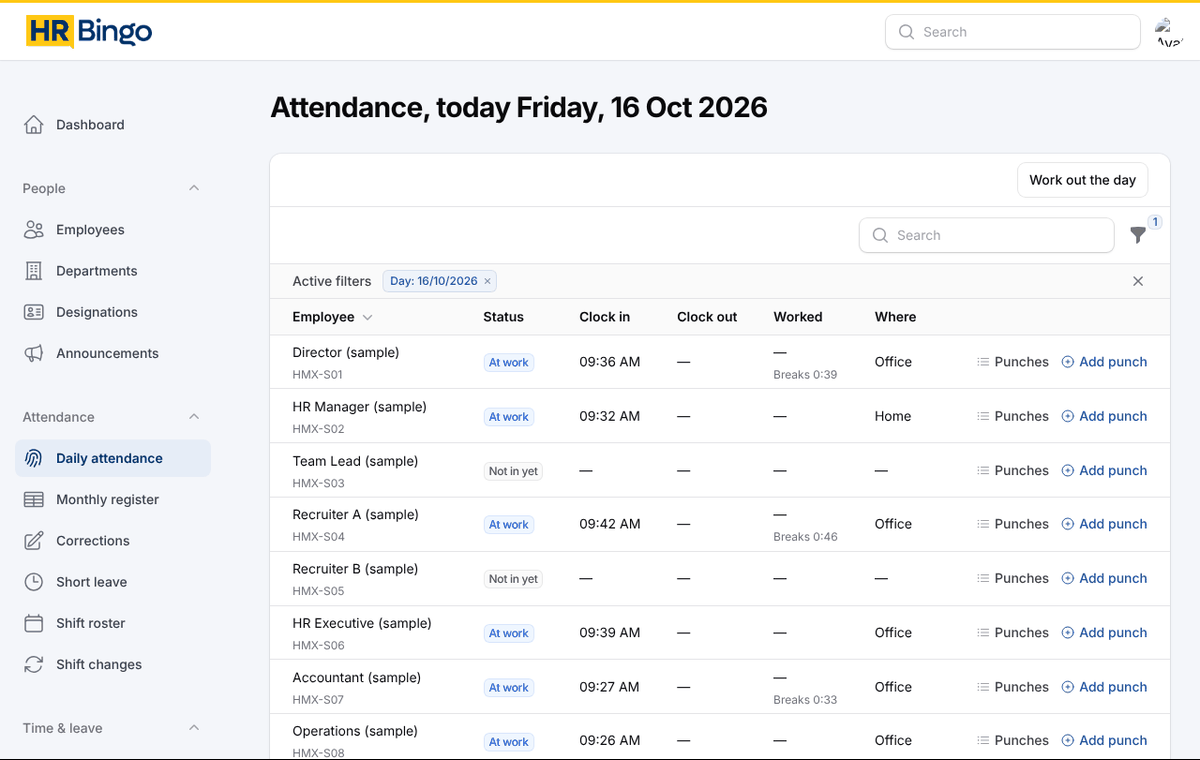
How attendance works in HR Bingo
- Set up offices with the address and an allowed radius (for example 200 metres).
- Set the clock-in rules: self clock-in on or off, how many clock-ins a day, block or flag outside the office, and whether clock-out must also be inside.
- Staff clock in from the app and choose office, home or other. The location is saved with the punch.
- HR Bingo closes each day overnight: hours worked minus breaks, late after grace, early before shift end, half day if under half the hours, and leave, holiday or weekly off where there were no punches.
- The monthly register shows P, HD, A, L, H and WO for everyone with totals for payroll. You can download a PDF per employee or for the whole company.
Rules you can set per company
- Clock-ins per day (one, or several for split shifts and field work)
- Block or flag clock-in outside the office radius; check clock-out location too
- Grace minutes for late coming, shorter Saturday hours, weekly offs per shift
- Fixed shifts or flexible shifts counted by hours
- Break allowance per shift, deducted automatically when nobody punches a break
- Whether staff may ask for a shift change from the app
For managers and HR
Managers see who is at work today, who is late and who has not clocked in, for their own team only. HR sees everyone, adds missed punches with a reason and approves corrections. Every change is recorded with the name of the person who made it.
At month end, attendance goes into payroll. Unpaid days are calculated on your company's basis (calendar days, fixed 30, fixed 26 or working days).
Frequently asked questions
Can staff clock in from home?
Yes, if you allow it. They choose "home" when clocking in, and the location is recorded so HR can see it. You can also block clock-in anywhere except your offices.
What happens when someone forgets to clock out?
The day is flagged "no clock-out". The employee can request a correction from the app, which goes through your approval flow (for example manager, then HR).
Does it work for night shifts?
Yes. A shift that crosses midnight is counted on the day it started, and clocking out the next morning closes that day correctly.
Do we need biometric machines?
No. The phone is the attendance device, and the location is checked against your office. HR can still enter punches for people without a phone.